> ## Documentation Index
> Fetch the complete documentation index at: https://iadc-isp-docs.mi4.com/llms.txt
> Use this file to discover all available pages before exploring further.
# Update Hours Worked for a Report Operation Category
## Updating Hours Worked
This guide outlines the steps to modify the **hours worked** in a report of an operation category.
If a category has any incidents, an hours worked value is required.
## Navigate to a Report
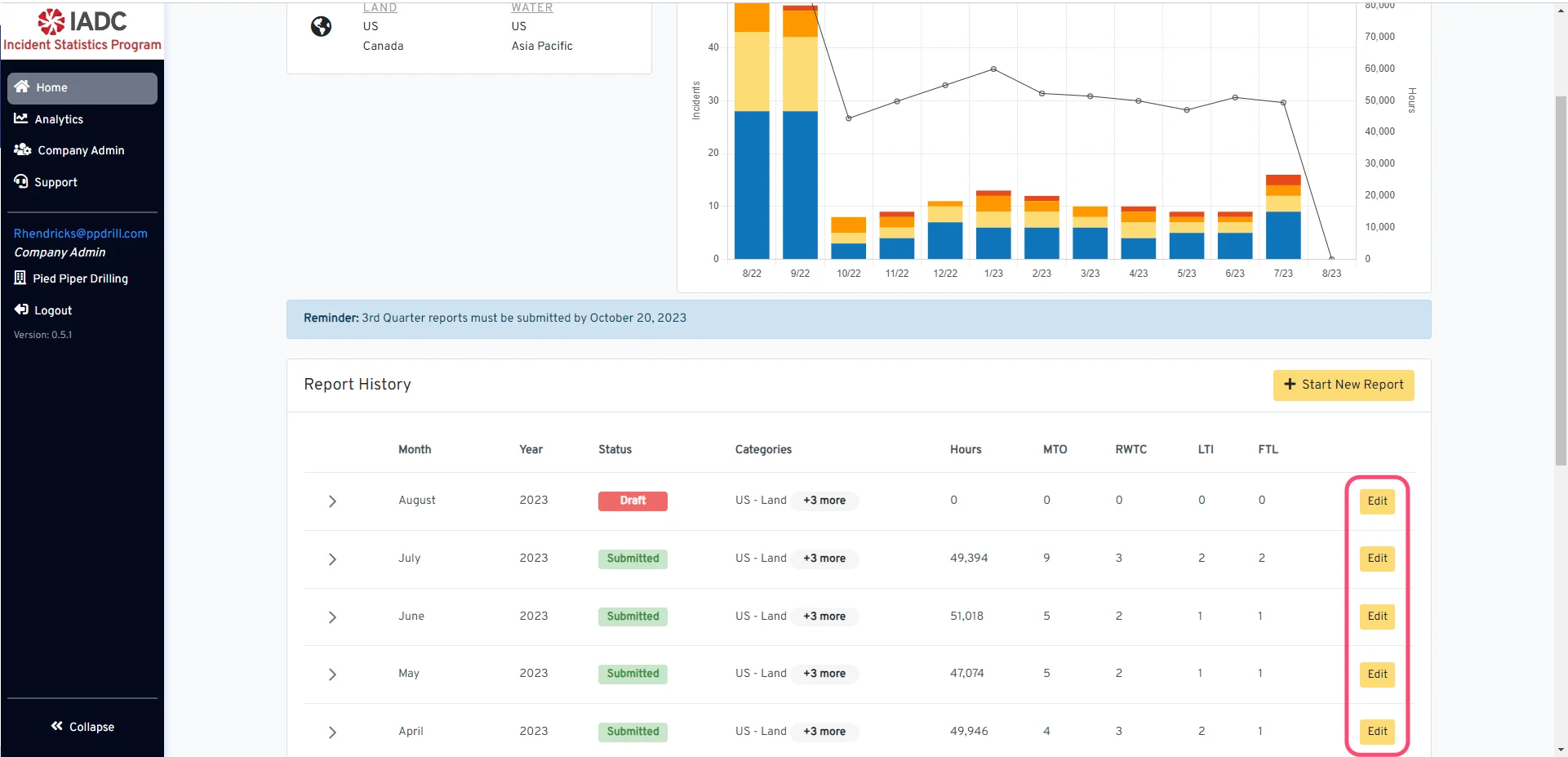 Begin navigating to the specific report by clicking the 'Edit' button.
## Select the Operation Category
Begin navigating to the specific report by clicking the 'Edit' button.
## Select the Operation Category
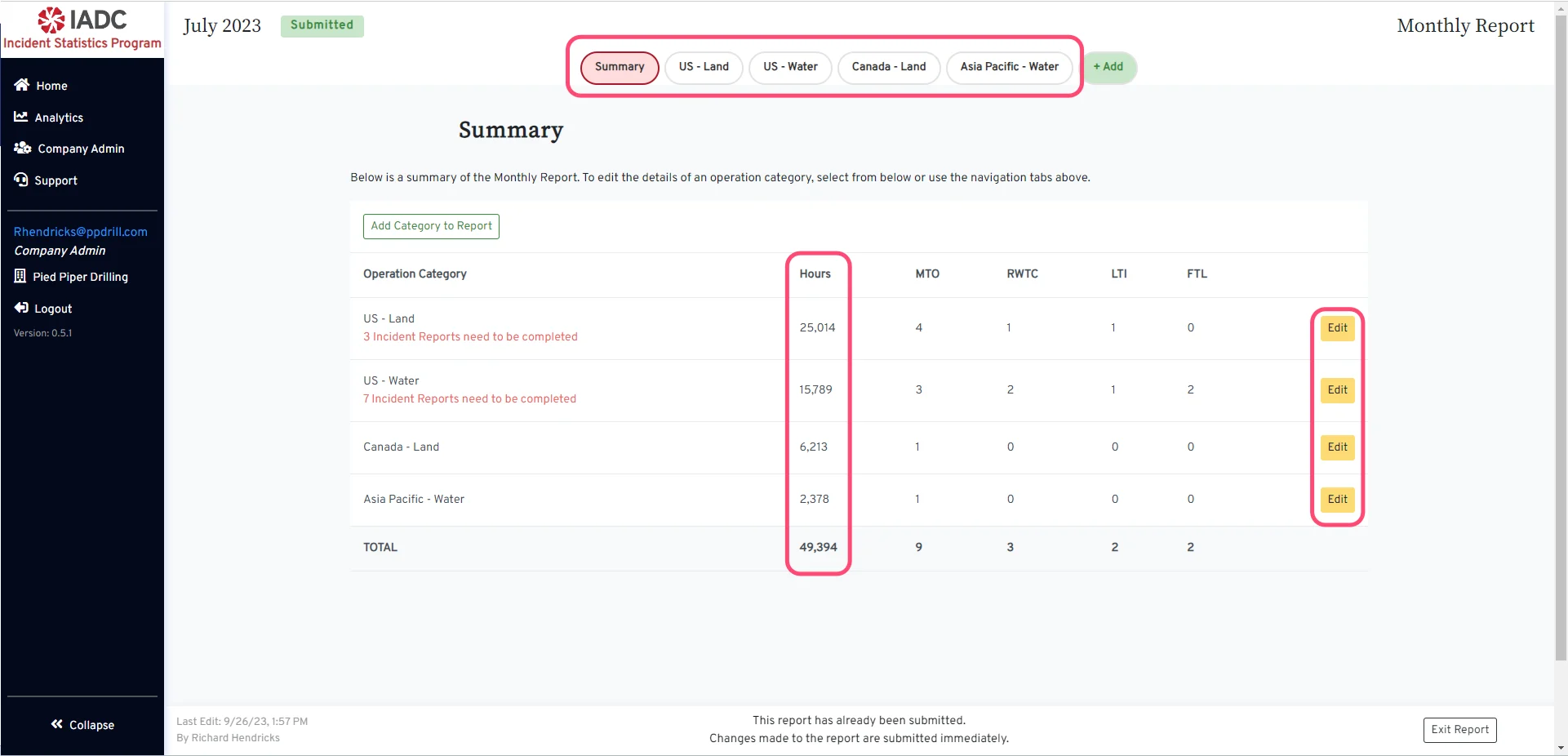 Select the operation category you wold like to update by clicking the 'Edit' button or use the region navigation tabs at the top.
## Modify the total hours
Select the operation category you wold like to update by clicking the 'Edit' button or use the region navigation tabs at the top.
## Modify the total hours
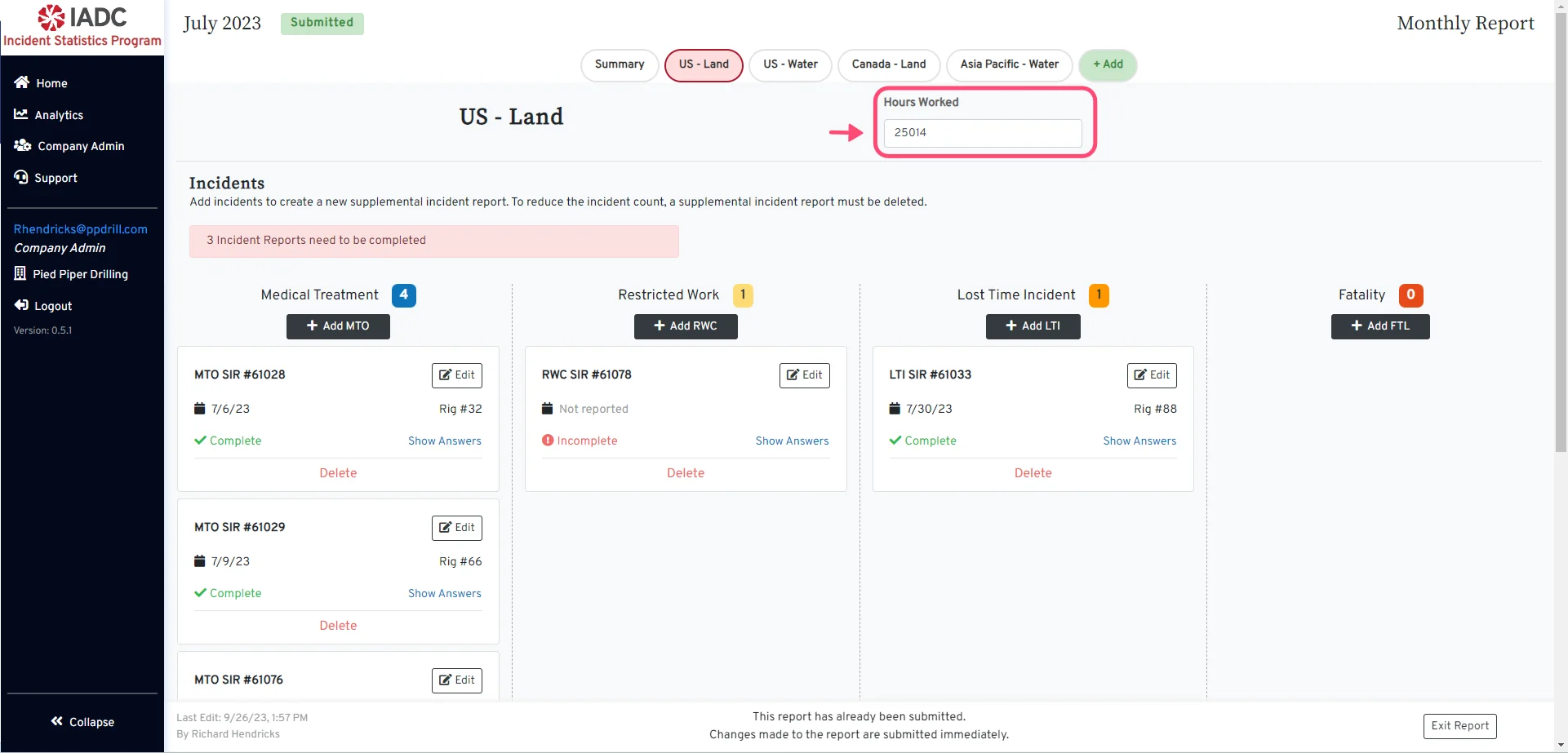 * Locate the *Hours Worked* entry form on the category page.
* Enter the new number of hours worked.
## For Submitted Reports
* Locate the *Hours Worked* entry form on the category page.
* Enter the new number of hours worked.
## For Submitted Reports
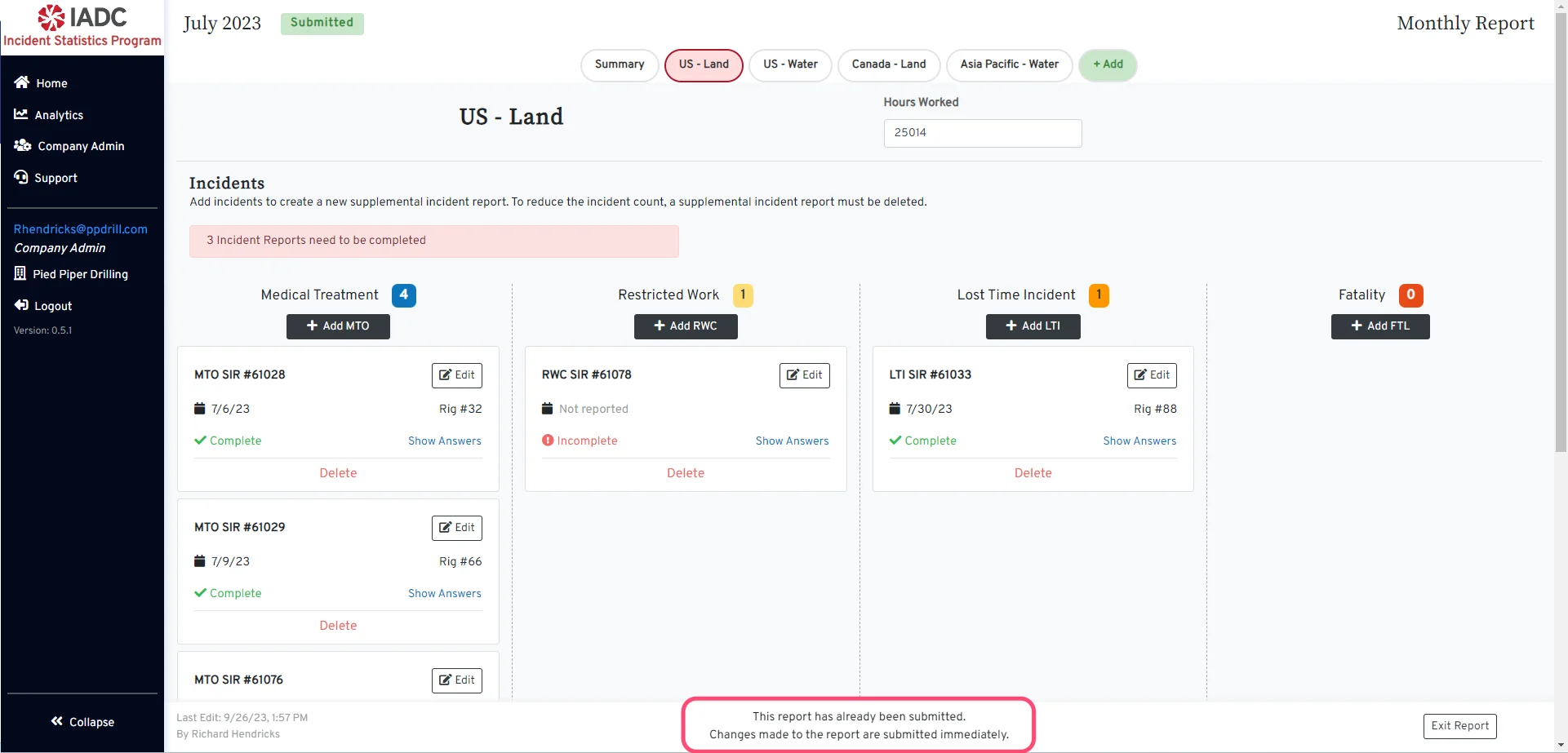 For a report that has been submitted, new changes are submitted immediately.
## For Draft reports
For a report that has been submitted, new changes are submitted immediately.
## For Draft reports
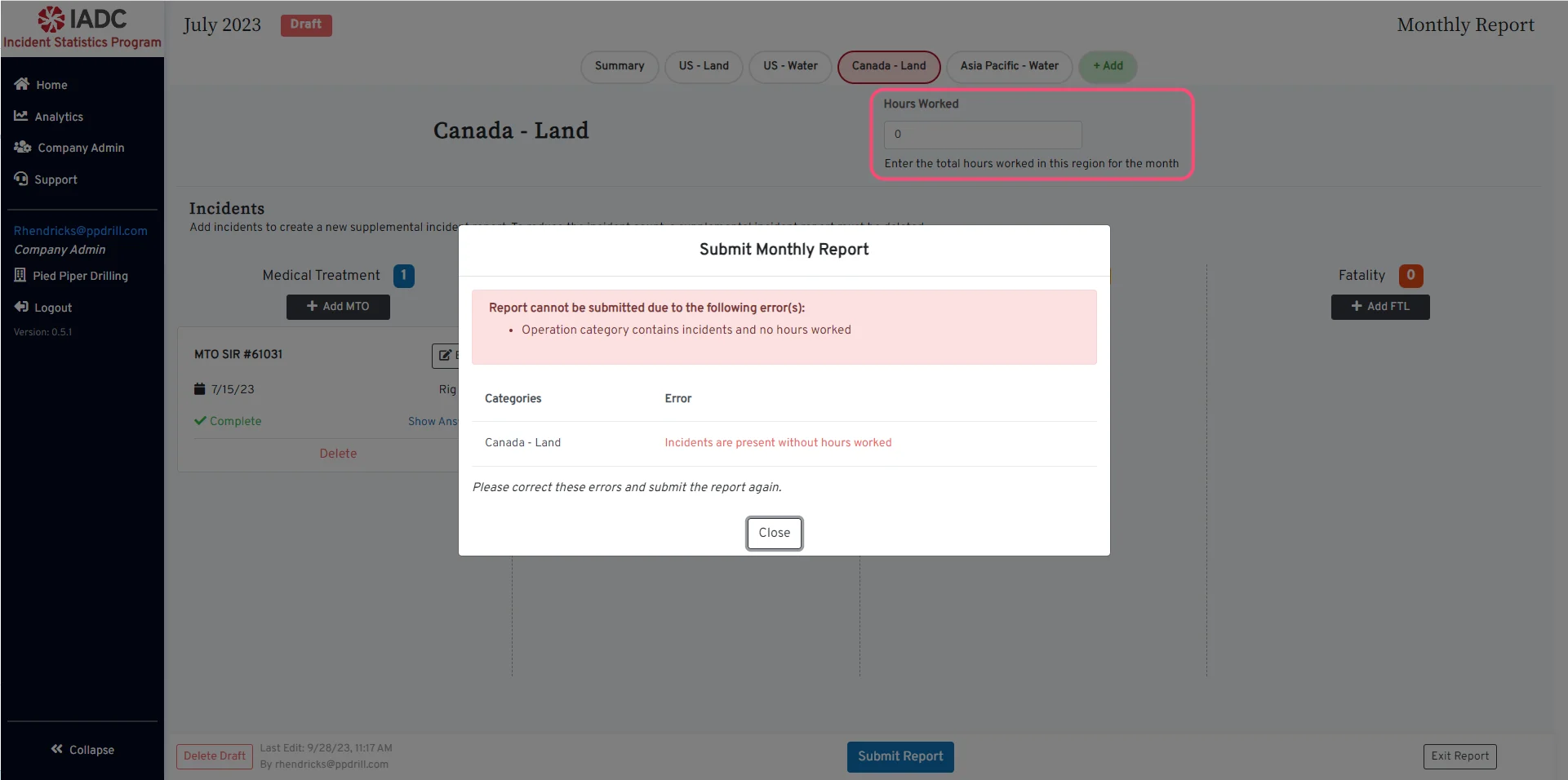 For a Draft report, if you have incidents in an Operation Category, the hours worked for that region will be required before submitting the report.
The *Hours Worked* value should be 0 if no work was performed in the region for that month and there are no incident reports.
View the Submit a Report guide.
For a Draft report, if you have incidents in an Operation Category, the hours worked for that region will be required before submitting the report.
The *Hours Worked* value should be 0 if no work was performed in the region for that month and there are no incident reports.
View the Submit a Report guide.