> ## Documentation Index
> Fetch the complete documentation index at: https://iadc-isp-docs.mi4.com/llms.txt
> Use this file to discover all available pages before exploring further.
# Manage API Keys
## Accessing your Public API Key
The new ISP application contains an API to allow for programmatic access to retrieving, creating, and editing your monthly reports.
Full documentation for the API is available from the *Support* page by clicking the **Public API Documentation** link.
This guide will walk you through managing API key in the ISP web application.
Only company **Administrators** have the ability to create, retrieve, and revoke API tokens.
## Where is my key?
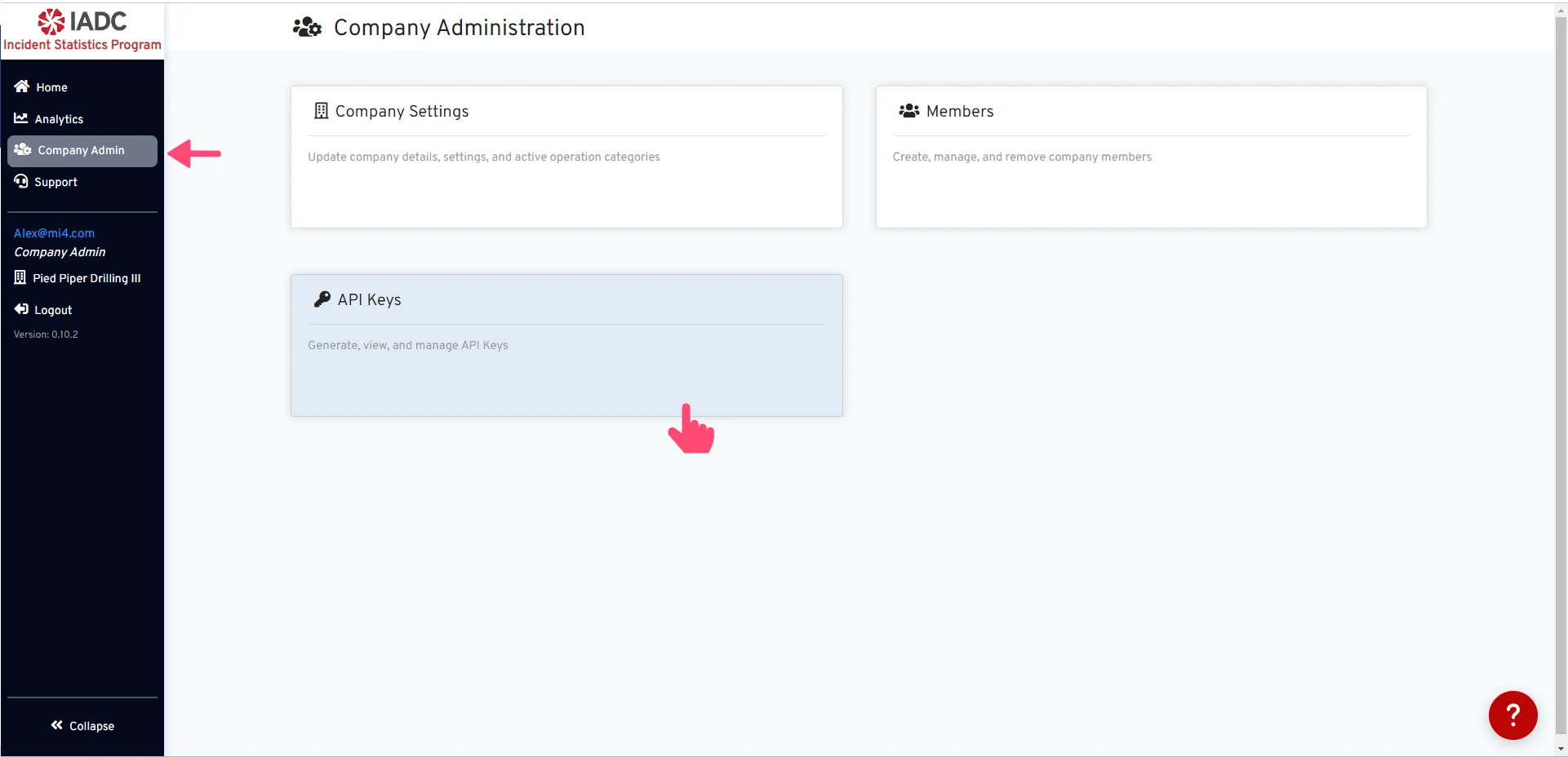 Begin navigating to **API Keys** from the Company Admin page.
In this section, you have the option to either locate your current key or generate a new one if you don't already have it.
## Generate API Key
Begin navigating to **API Keys** from the Company Admin page.
In this section, you have the option to either locate your current key or generate a new one if you don't already have it.
## Generate API Key
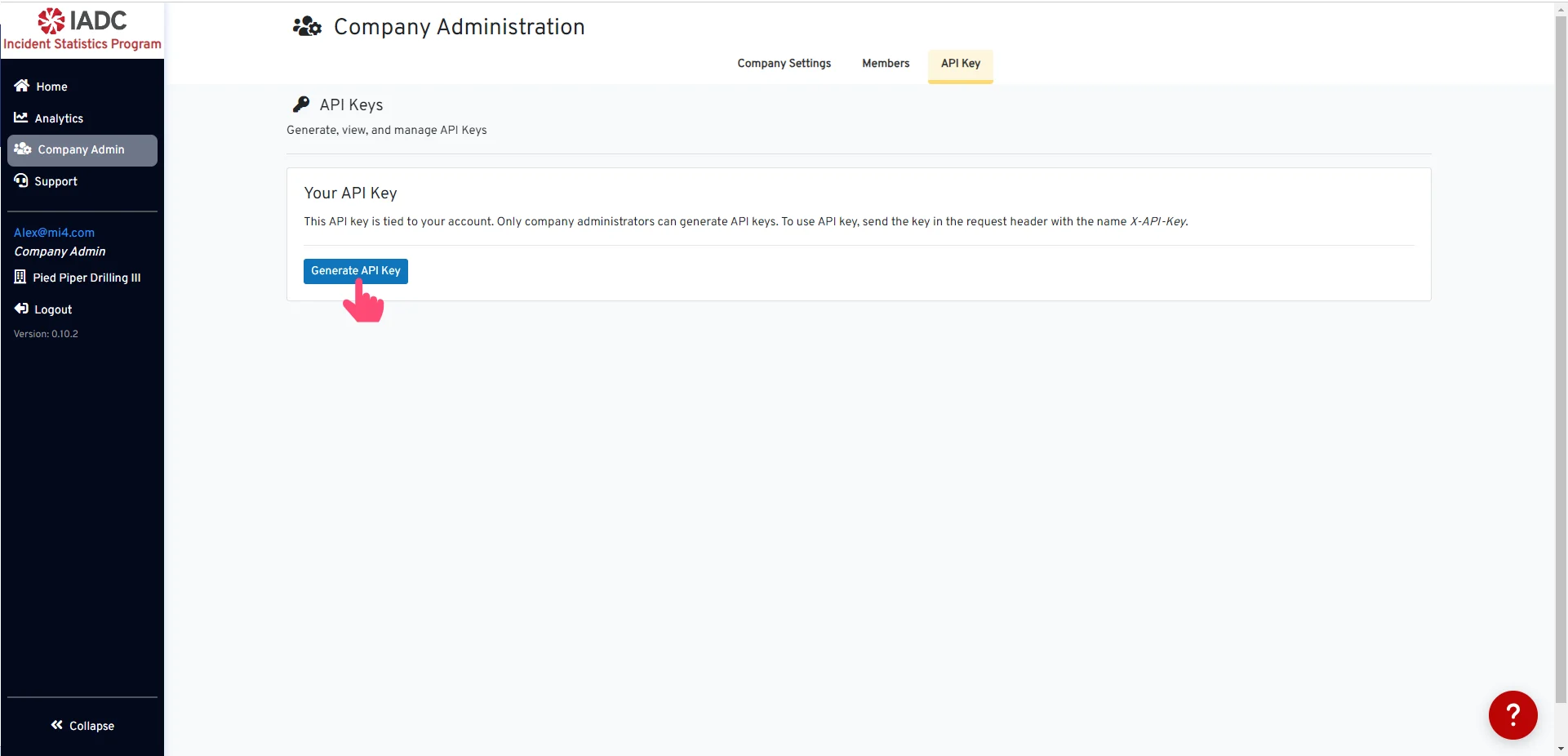 Create a new API Key by clicking the **Generate API Key** button.
## API Key Created
Create a new API Key by clicking the **Generate API Key** button.
## API Key Created
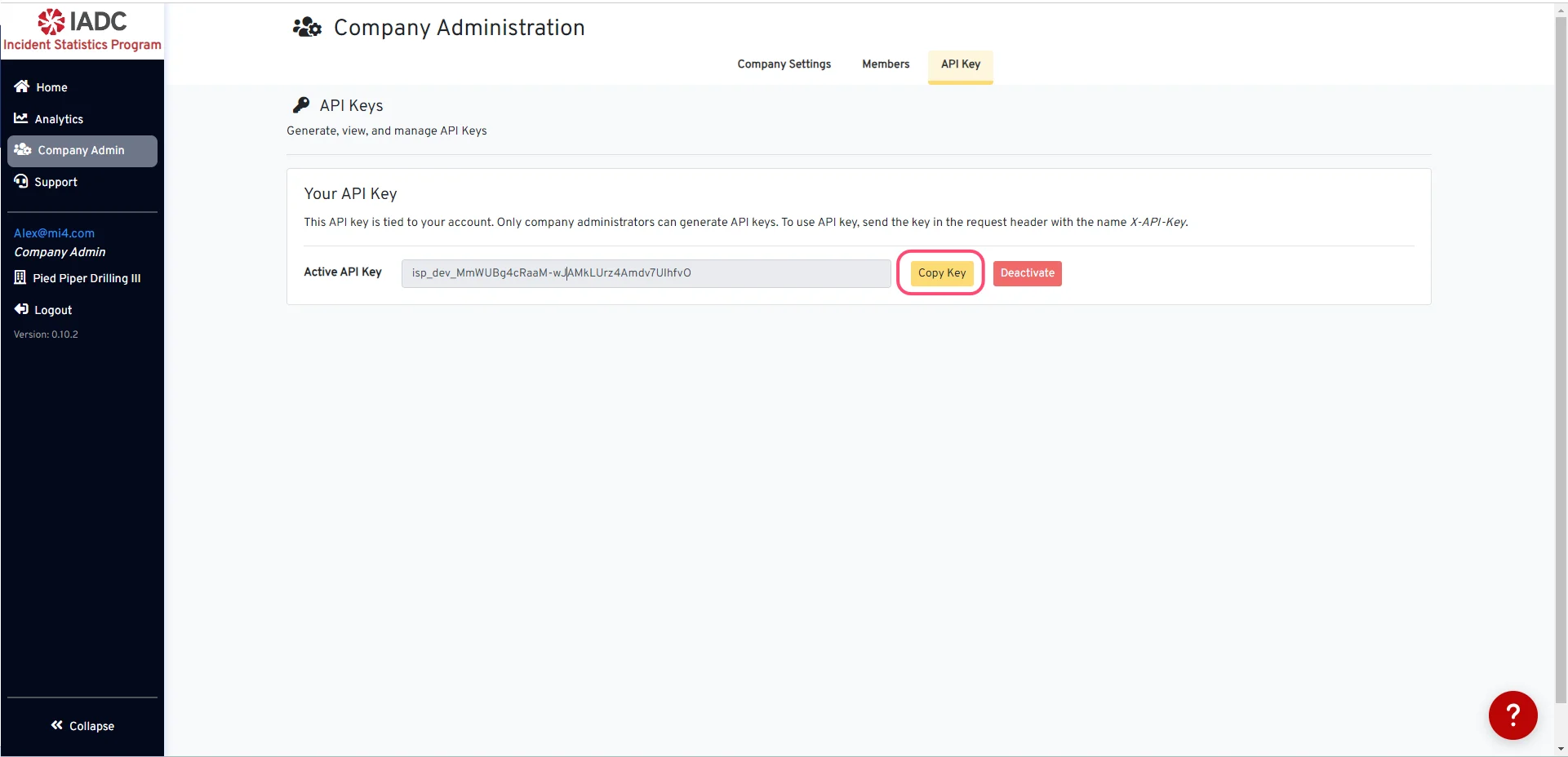 You can choose to copy your active API key by simply clicking the **Copy Key** button.
## Deactivate API Key
You can choose to copy your active API key by simply clicking the **Copy Key** button.
## Deactivate API Key
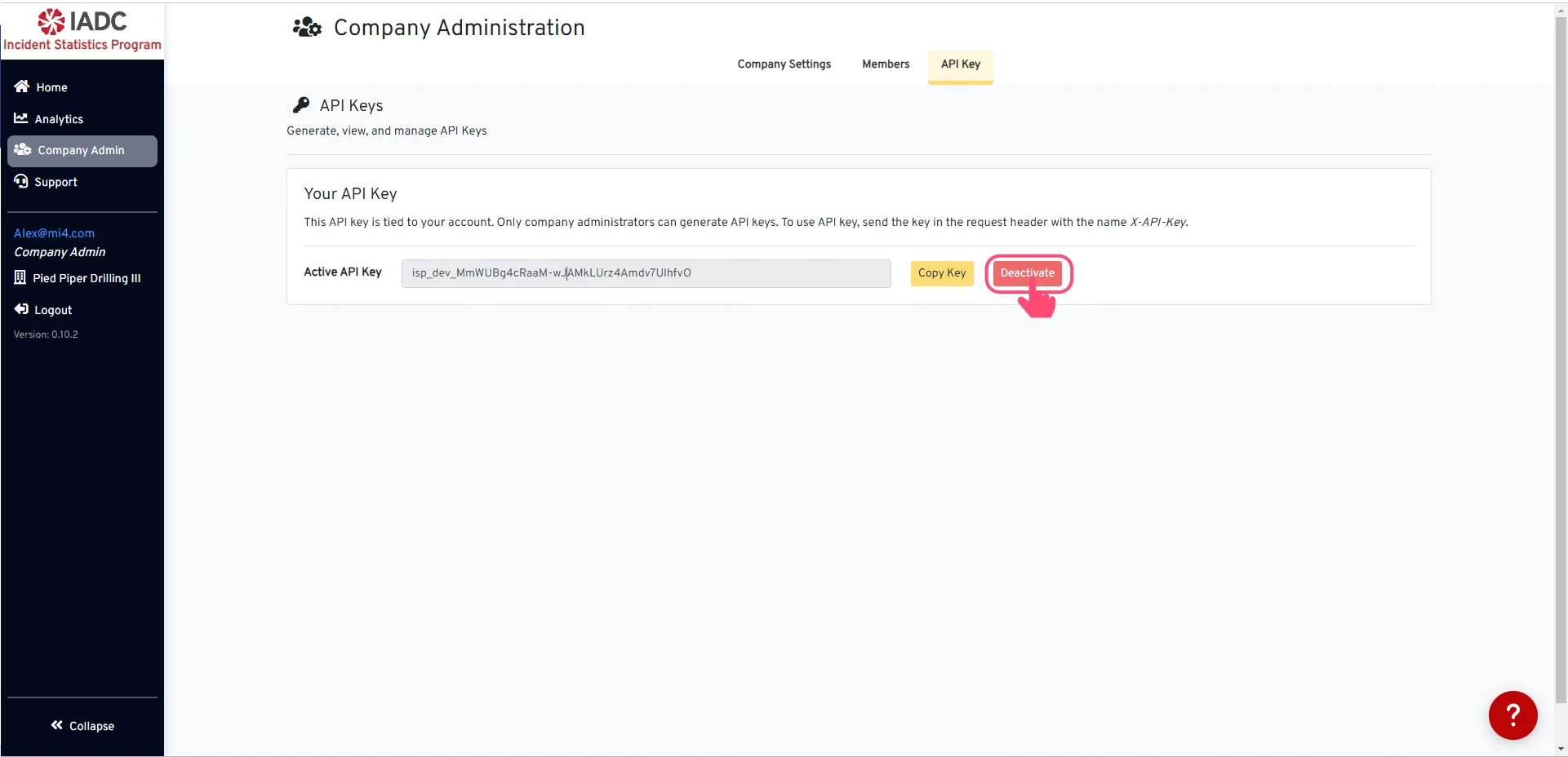 To deactivate your API key, click the **Deactivate** button.
Once you deactivate your API key, it will be removed and no longer valid. You can return to generate a new key at any time.
To deactivate your API key, click the **Deactivate** button.
Once you deactivate your API key, it will be removed and no longer valid. You can return to generate a new key at any time.