Analytics - Monthly Data
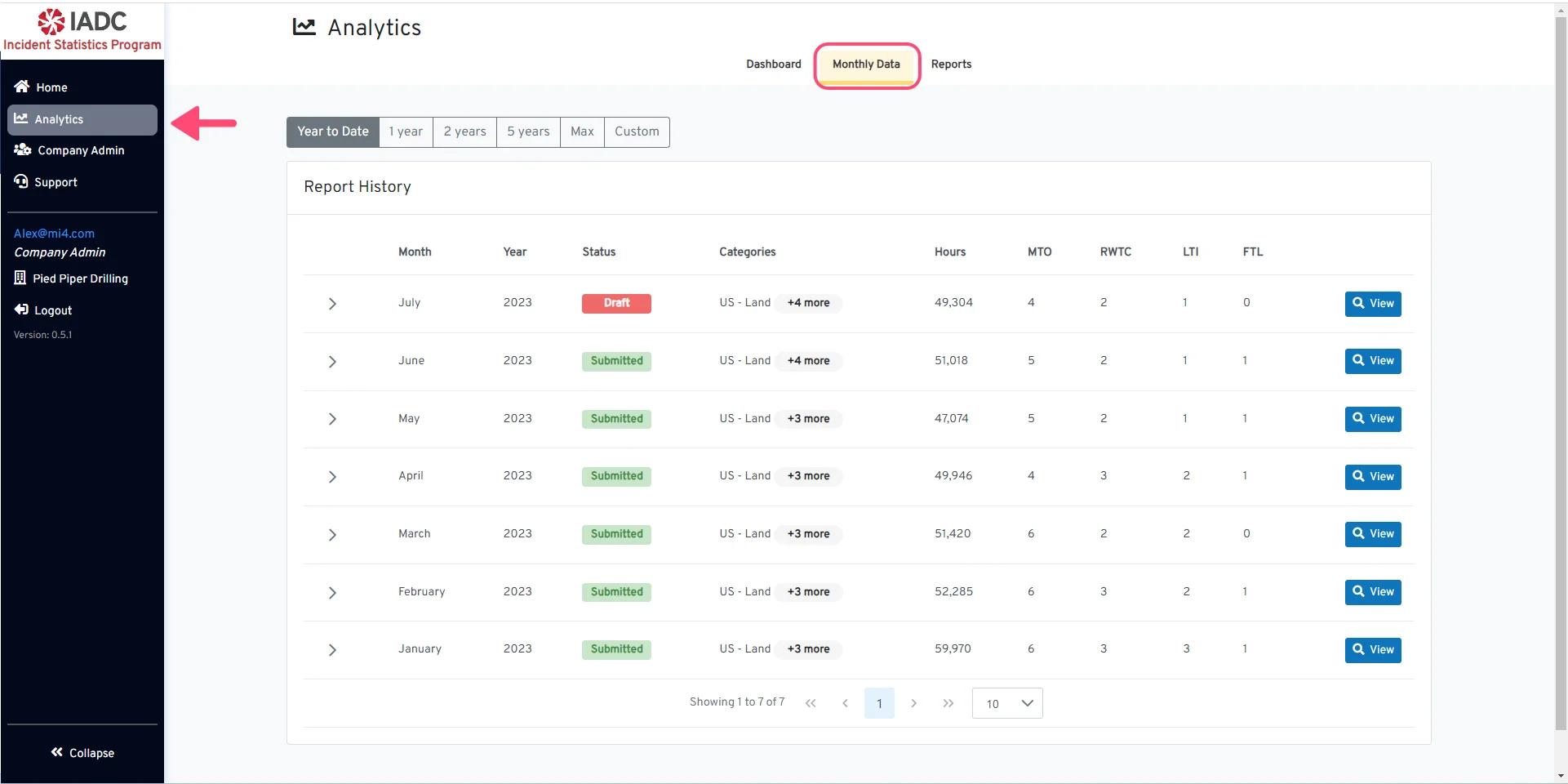
Analytics - Monthly Data The Analytics-Monthly Data tab allows you to view your organization’s entire report history and download or print your monthly reports in multiple formats (PDF, Word, xls, csv). This guides shows the process for downloading a monthly report from the Report History. Begin navigating to the Monthly Data tab from the Analytics page.

Customizable Data Range

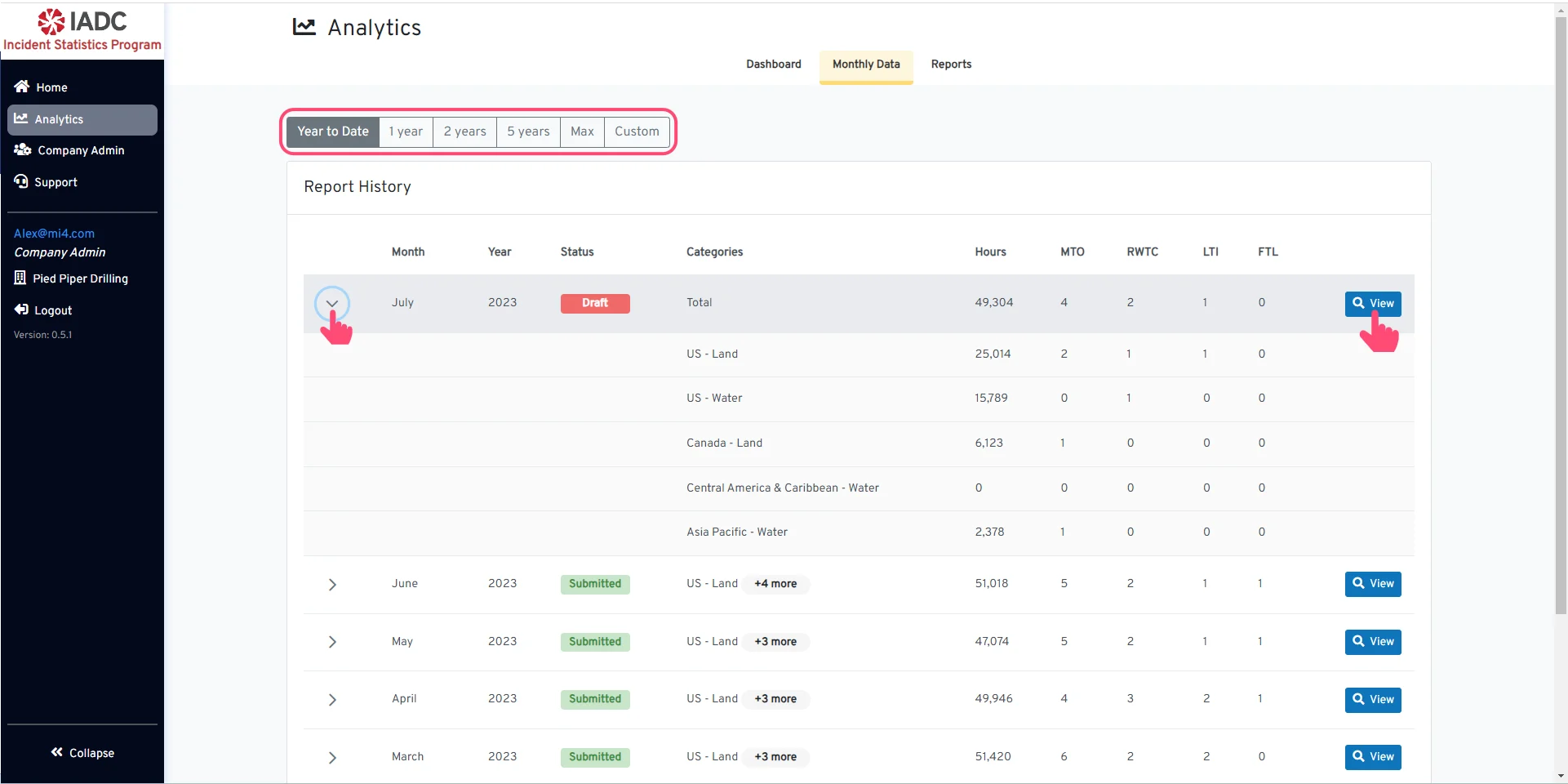
Customizable Data Range You have the option to select the desired date range of the monthly reports that you would like to view. Once you have found the desired monthly report, click the View button to open a downloadable version of the report.
Click the arrow on the left to expand all the operation categories.

Download/Printable Monthly Report

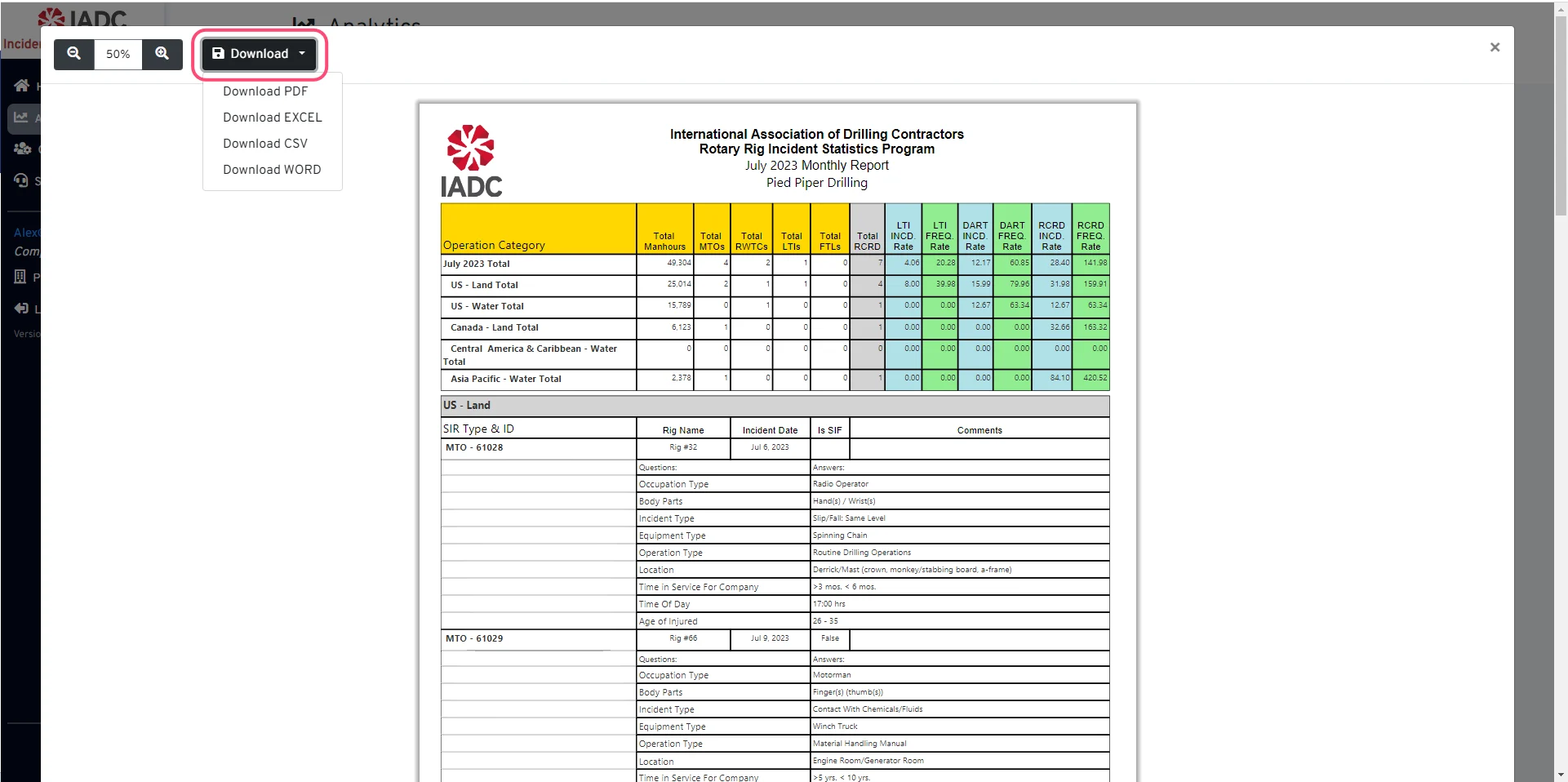
Download/Printable Monthly Report Once your report loads, you can:
  • View the report in the window by scrolling up and down or zooming in and out using the controls in the upper left OR
  • Click the Download button to display a dropdown and select the report format that you would like to save. Reports can be saved as a PDF, Word, XLS, or CSV document.