Updating Hours Worked

This guide outlines the steps to modify the hours worked in a report of an operation category.
If a category has any incidents, an hours worked value is required.
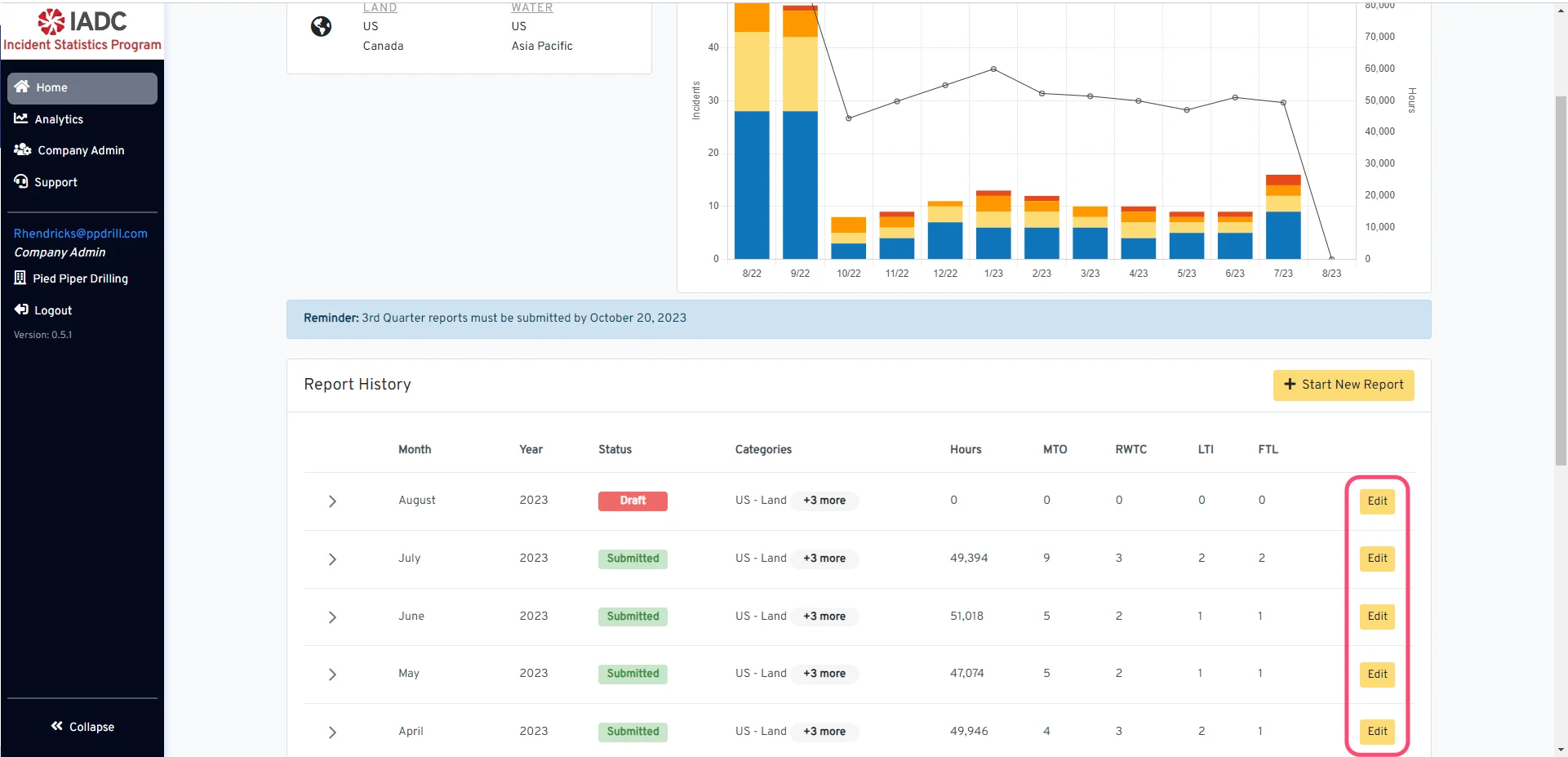
Navigate to a Report Begin navigating to the specific report by clicking the ‘Edit’ button.

Select the Operation Category

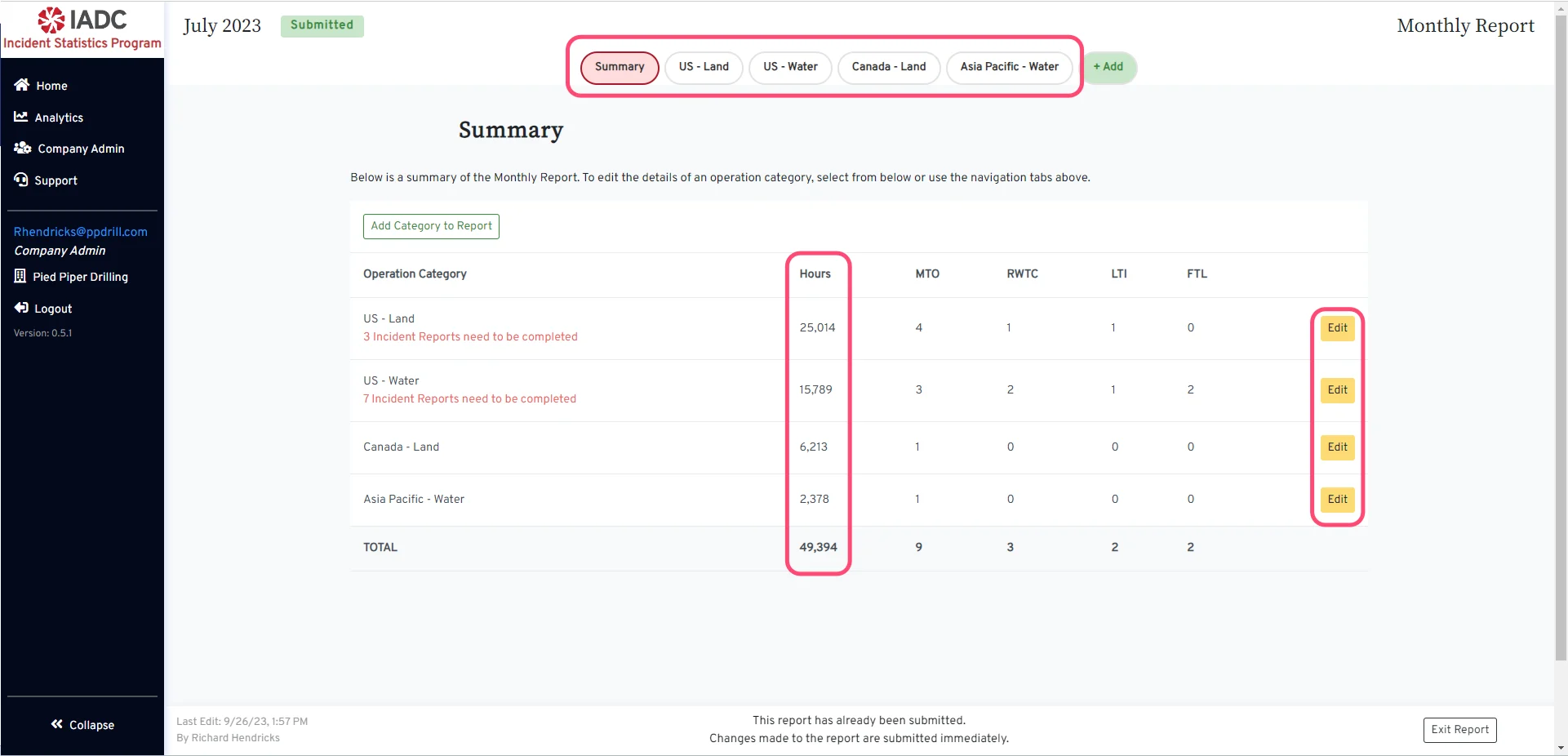
Select the Operation Category Select the operation category you wold like to update by clicking the ‘Edit’ button or use the region navigation tabs at the top.

Modify the total hours

Modify the total hours
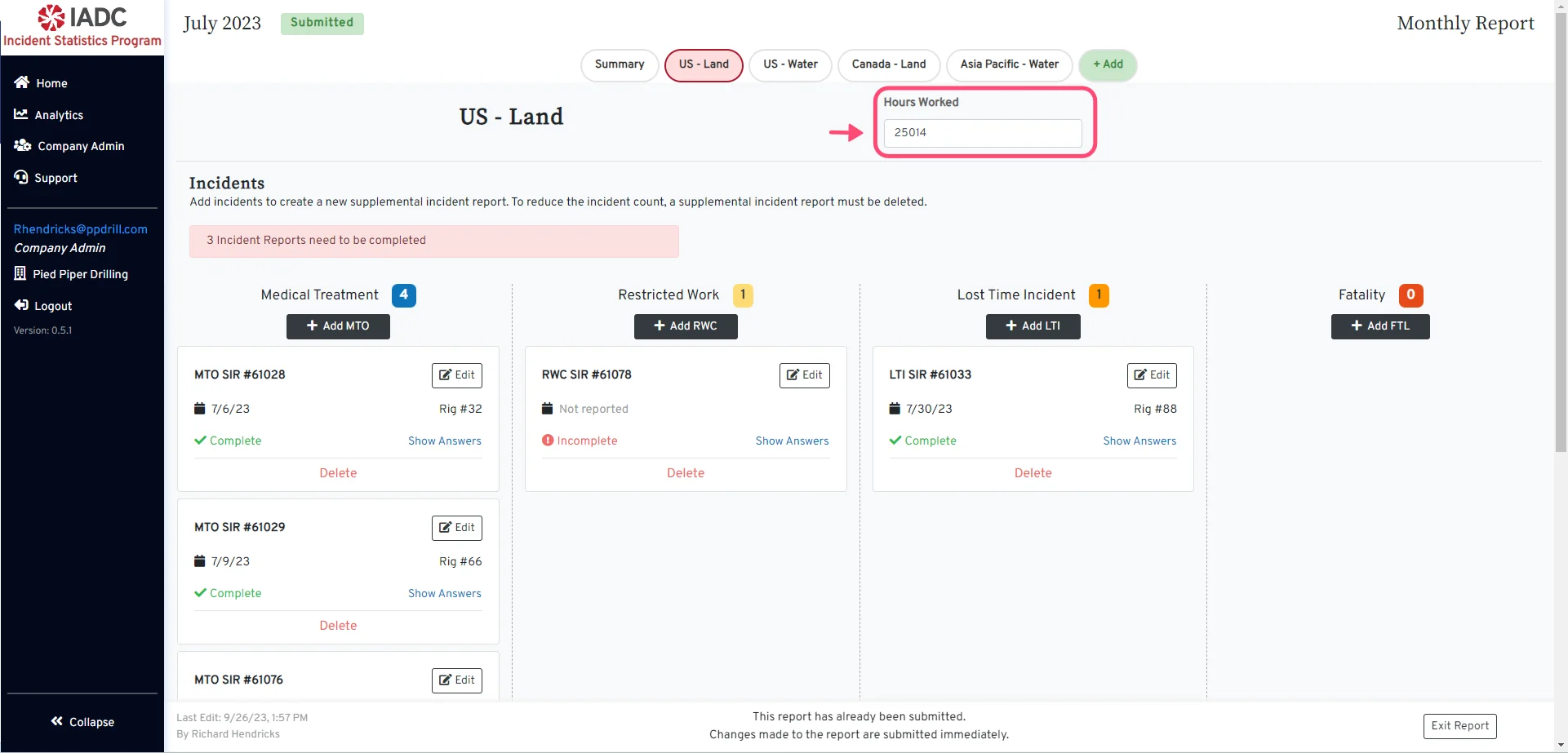
  • Locate the Hours Worked entry form on the category page.
  • Enter the new number of hours worked.

For Submitted Reports
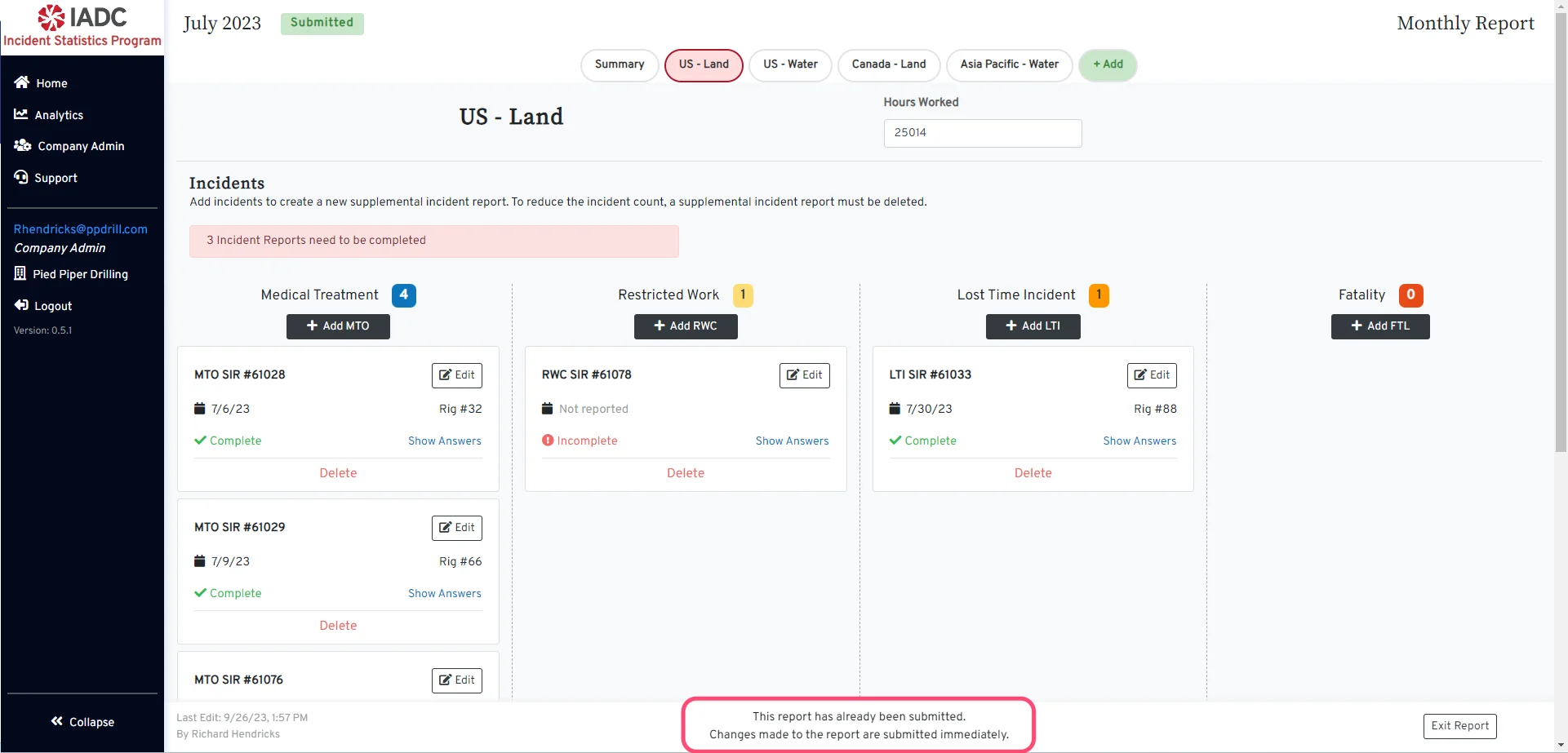
For Submitted Reports For a report that has been submitted, new changes are submitted immediately.

For Draft reports

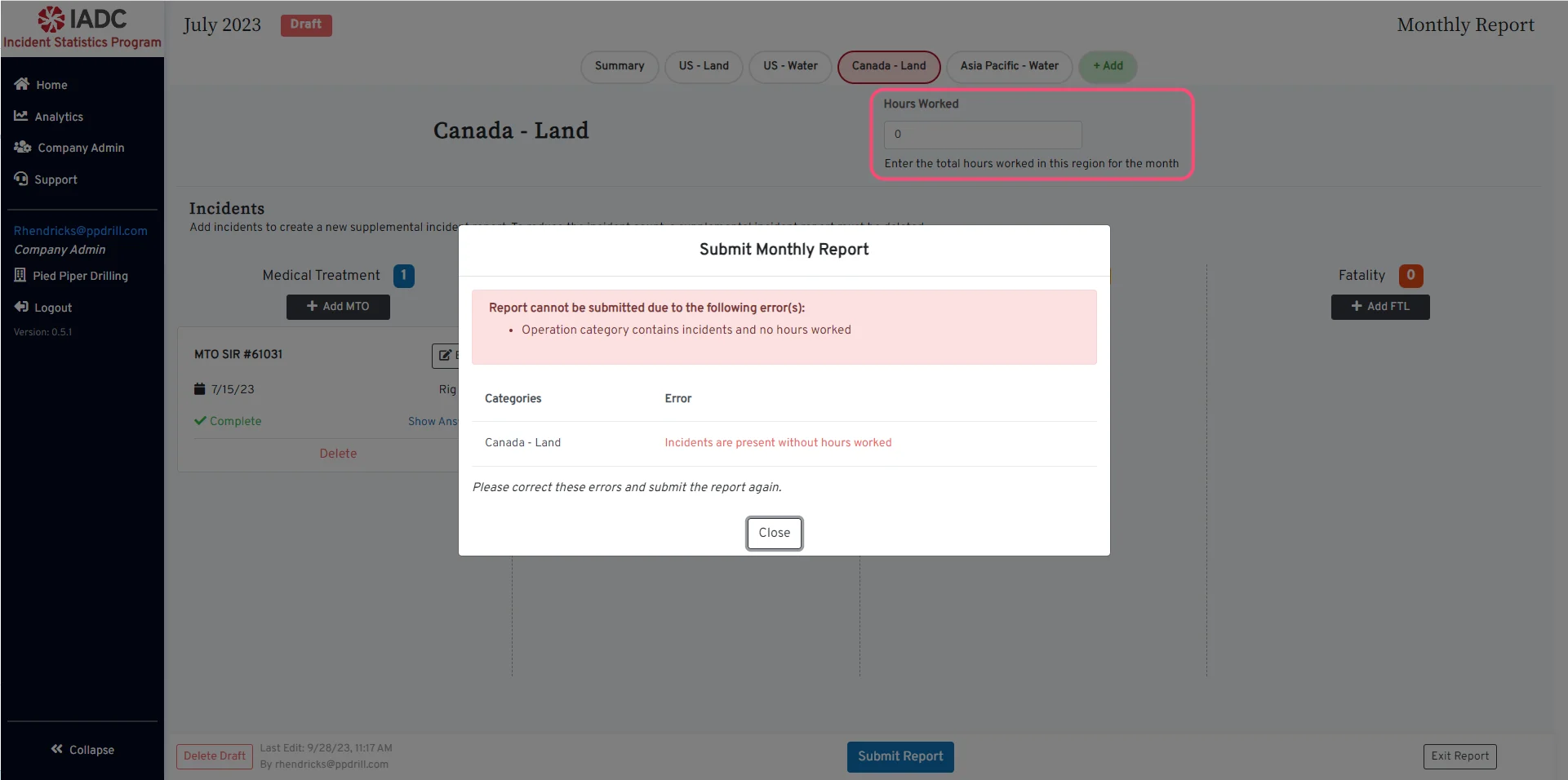
For Draft reports For a Draft report, if you have incidents in an Operation Category, the hours worked for that region will be required before submitting the report.
The Hours Worked value should be 0 if no work was performed in the region for that month and there are no incident reports.

Submit a Report

View the Submit a Report guide.